
Subatomic is a medium difficulty set of malware analysis challenges based on a virus passed around Discord. The description is “Forela is in need of your assistance. They were informed by an employee that their Discord account had been used to send a message with a link to a file they suspect is malware. The message read: “Hi! I’ve been working on a new game I think you may be interested in it. It combines a number of games we like to play together, check it out!”. The Forela user has tried to secure their Discord account, but somehow the messages keep being sent and they need your help to understand this malware and regain control of their account!”
The first task is to find the imphash of the malware installer. An imphash is an import hash which is a hash of the imports the binary calls. This can help us track and identify malware samples. To get this hash, we are going to run a simple python script using the “pefile” library. The script looks like this:
import sys
import pefile
import peutils

pe_file = sys.argv[1]
pe = pefile.PE(pe_file)
imphash = pe.get_imphash()

print(imphash)
Here is the result of the script and the resulting imphash of the executable.

Our second task is to find the program name specified in the “SpcSpOpusInfo” Data Structure. To get this I opened the file up in Virustotal. I originally did this with a python script, but I am having troubles with the crypto library, so this will do for now. You can also find the imphash and all other kinds of useful info on the Virustotal page.
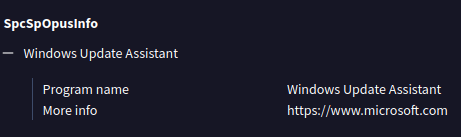
Our third task is to find the GUID that is used in the installation process. To do this we need to learn more about NSIS installers. These installers are basically zip files and can be unzipped as such. In order to get all the info we need, we need to use an older version of 7zip. I used 15.05.

I moved over to windows for this step and simply unzipped the executable. This is what I got.

Opening up the [NSIS].nsi file in notepad gets us a massive text file. Here is where we will be looking for the GUID. A GUID for Windows follows a certain format, that format being XXXXXXXX-XXXX-XXXX-XXXX-XXXXXXXXXXXX where all the Xs can be hex digits. Knowing this we can quite easily locate the GUID which is everywhere.

Next, we need to find license tied to the malware. To do this we need to look at the package.json file. We are going to have to go deeper. Looking in the $PLUGINSDIR we find an app-32.7z file. This should be where the actual program is stored. We unzip that and keep looking.
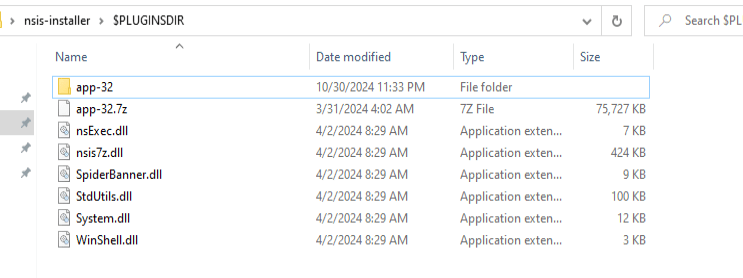
After opening that folder that are quite a lot of files. One thing that pops up to me is a license for electron. This may have some clues for later.
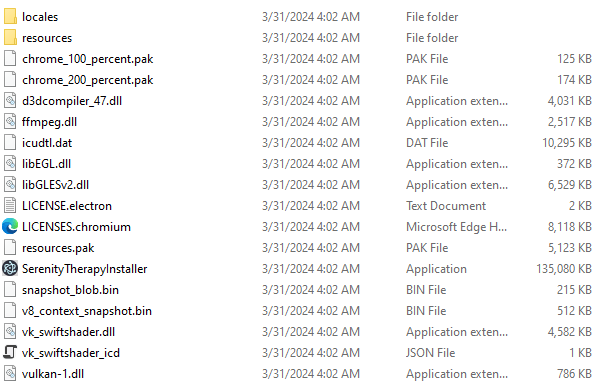
Going into the resources file we find an ASAR file, which makes sense given the electron license. Let’s take a look at that.
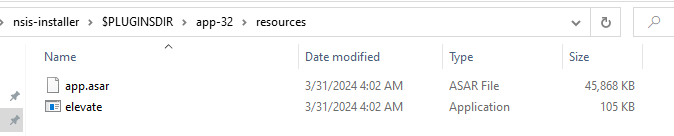
We can use a tool named WinAsar to extract the app.asar file.
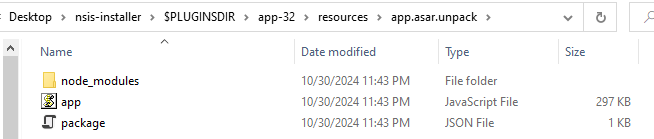
Inside of that we find the package.json file we need. And inside of that we find the license. Step 4 is done.

For step 5 we need to deobfuscate the app.js file which is over 300,000 characters long. We will save that for the next post.
Thanks for reading and happy reversing!
 bu5hv1p3r's site
Leave a comment