
SHA256:a5e39316d1b2e8dbcc12684a1bd8d8b9fb6edf2f2ab75a5eddcaf2ab1c609a0a
1.exe is a pretty simple dropper from around 2016. It is the first true malware I have gone through and analyzed and I would like to share what I found. As is tradition, I will first run the file command on the executable.

Nothing too interesting here, let’s now open it up in Binary Ninja. I have spent the last 8 hours going through the binary and renaming variables and changing variable types to understand it better. First, looking through the _start function there is a lot of boilerplate type code. The only real useful code is a call to what I named, runWinHmks32 function.

Let’s take a look inside of that. There is a lot that happens inside of this function, but we will start at the beginning. The first thing that sticks out to me, and would become a common theme for this malware are all of these seemingly useless if statements and memsets.
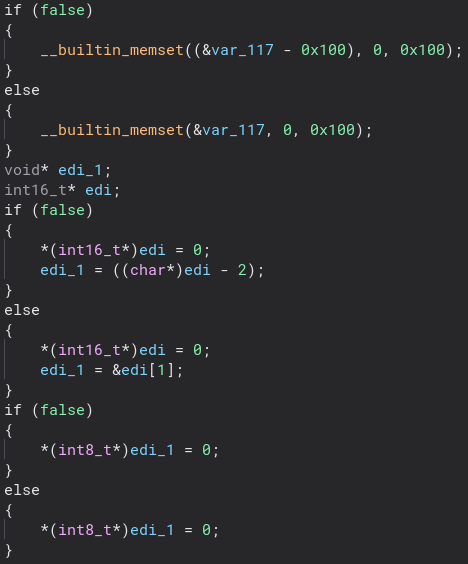
I am not sure if this is some decompilation thing going on or if these were just placed here to annoy me, but they do not seem to really do anything and they are all over the place. If I am wrong and they are in fact useful I would love to know. After three sections of this seemingly useless code we start to get to the fun stuff.
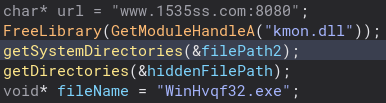
This section of code gives us a lot. We can see an obvious URL and a file name, which as we will learn later is the second stage of this malware. Unfortunately, I was not able to get a copy of it, but I would love to look at is as well. Looking at getSystemDirectories is another point that this program gets a bit odd. It makes a call to a different function based on what eax is. Looking at the variable data_40526c it seems like it is always zero, but I am not sure if that changes as I have not done dynamic analysis. Looking into the getSystemDirectory functions they are pretty much the same.

There are more weird memsets and if statements, but it looks like it just gets the system directory. All three of them do the same thing minus some changes in the odd memsets and if statements.

Now looking at getDirectories it does basically the same thing as the function above except it gets the Windows directory of the file, except for the last one which gets the System directory like the function before.


Getting out of all of this directory stuff we can now move on to more interesting code. Just under that we check if the file path from the System directories function is the same as the file path from GetModuleFileNameA. If they are, we create a Mutex that is named after the URL we found earlier. Let’s take a closer look at that.

This is where the malware part of this program begins coming in. We get a socket to the website where the second stage is hosted and we download it. Let’s take a closer look at the recvFile function.
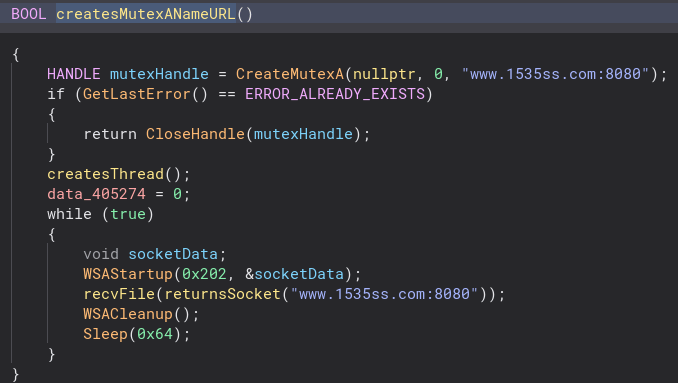
There are a lot of TCP and socket functions in this function, but we are going to ignore those. We can see the second stage file and URL are mentioned again.

Scrolling further down we can see we open a service for the second stage.
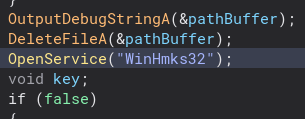
We also delete an HKEY.
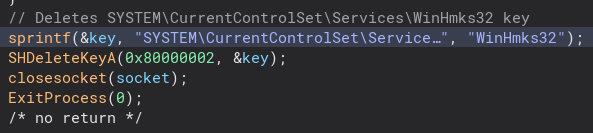
Now we have the second stage downloaded and a service starting. Next, the program does some file manipulation, hiding it and giving it the system file attribute. We also attempt to create a process for the second stage, and if that fails the program shell executes it.

Below this, we delete the original 1.exe program. Thankfully the original developer left in debug strings so I could figure out what this code did 🙂
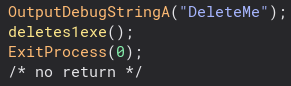
There is a bit of obfuscation in this function, but nothing too hard to understand. The program concatenates a string into the command to delete the 1.exe file.


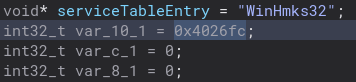
Back into the runWinHmks32 function, there is this variable which is actually a very important function to the program. I am not sure why it looks like this and not a normal function call, but regardless let’s check it out.
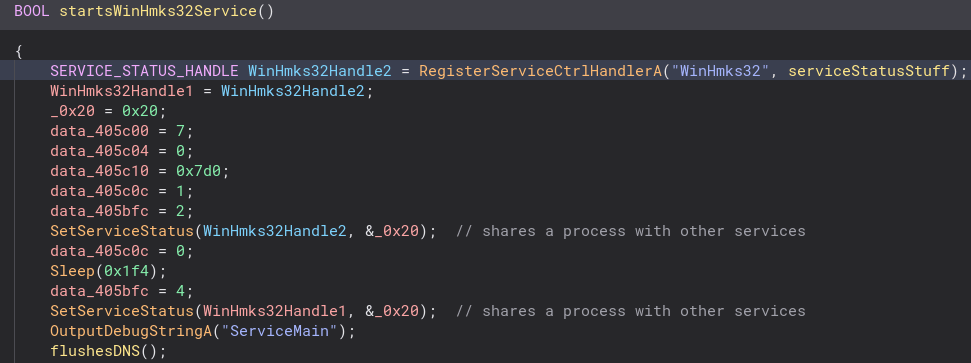
A lot of service related stuff happens in this function. A service status handle is created and copied. Going into the serviceStatusStuff function this happens even more. The service status is set to 0x20, which means it shares a process with other services.
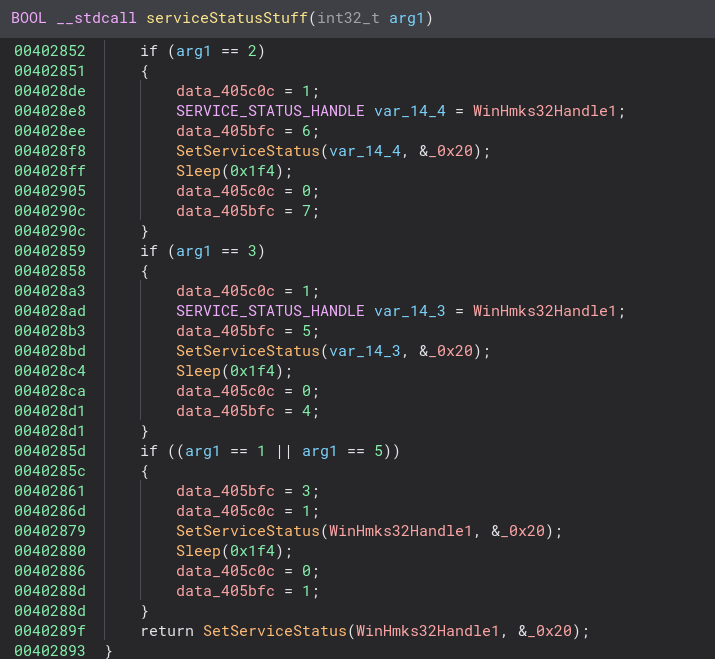
After this there is some file creation and checks. If the file does not exist the program attempts to download it again. Inside of the createFile function there is also some process memory writing, but I do not understand it enough to figure out what it is doing.
Backing out of this function and back into runWinHmks32, we create and start a service for the second stage.
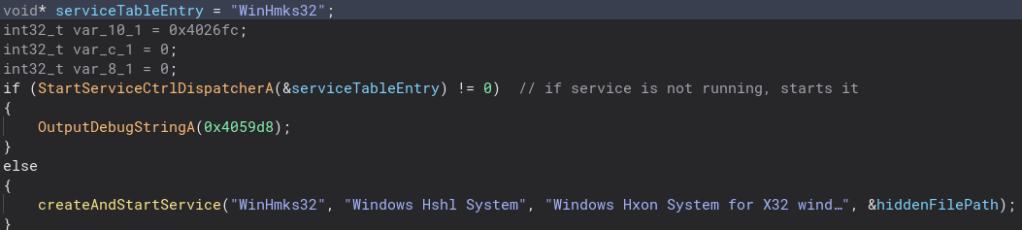
Going inside of this function we can see where the service is created and started. It would not be good malware if it did not automatically start. It also looks like the service is started three times which I found interesting.

Below this is some more registry key opening and value setting for the second stage.
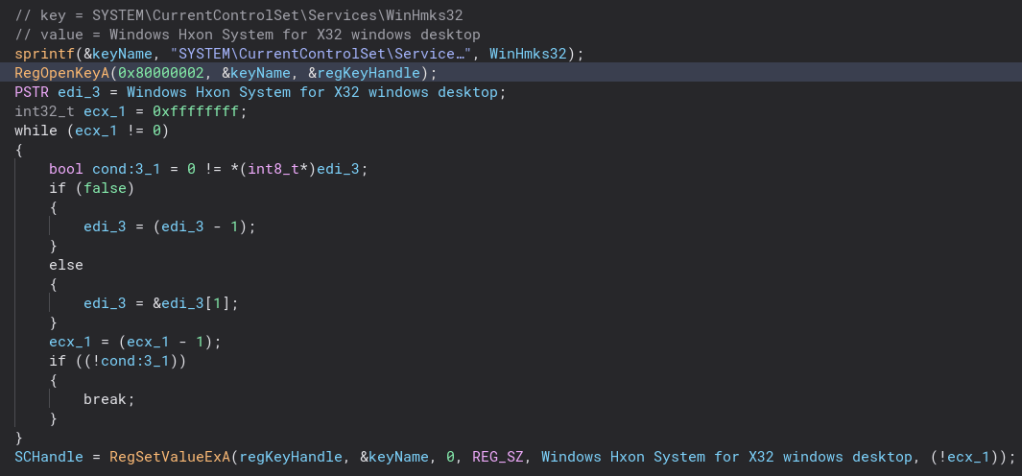
That pretty much wraps it up! Since I was not able to get a copy of the second stage I do not get to see what is really does. So in conclusion this malware downloads a file named WinHmks32.exe from http://www.1535ss.com:8080, copies the file to a different location and hides, it creates an autostart service to run the second stage, makes some registry keys and changes the values of them, writes to process memory and deletes itself.
The skill gap between CTF reverse engineering challenges and analyzing actual malware is huge. Although for the most part I can tell what this program does, enough to tell I do not wanna run it on my actual computer, there are a lot of things I did not understand. I had a ton of fun doing this and I would say for my first time I understood it pretty well. Thanks for reading and happy reversing!
 bu5hv1p3r's site
Leave a comment