
Sekure Decrypt is a easy reversing challenge on Hack The Box. The description is “Timmy created a secure decryption program”
First things first, let’s run file on the binary to see what we are working with. Actually, this time we do not need to. We are given a core file, a binary, and the source code for the binary. Let’s check that out first.
Looking through the code, it is a pretty simple encrypt/decrypt file program.
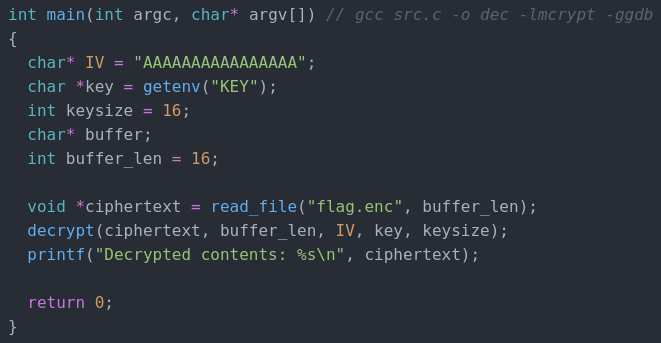
We have the IV from the source code, we just need to find the key and the encrypted flag. We are given a core dump of the file and a binary with debug symbols so this should be an easy task. It is not.
Trying to debug the core file with the command gdb ./dec core gives us this lovely error.

Despite all of my googling and trying to fix it, I could not get it to work. Looks like we are going to have to try and do this challenge a different way.
We can very easily get the key with pwntools. Here is a simple script to get it.
from pwn import *

core = Coredump('./core')
print(core.getenv('KEY'))
Running this python script gives us the key which is “VXISlqY>Ve6D<{#F”

Unfortunately for us, getting the encrypted flag from the core file is not as easy. From the source code we know that the encrypted flag is 16 characters long. Maybe we can brute force the encrypted flag by trying to decrypt every 16 character long hex string in the core dump. Here is a python script I made to grab all the 16 character long strings of hex.
flag = []

with open("core", "rb") as file:
    fileData = file.read()

fileData = list(fileData)

for i in range(len(fileData)-17):

    if fileData[i] == 0 and fileData[i + 17] == 0:

        for j in range(1,17):
            flag.append(hex(fileData[i+j]))

        if hex(0) not in flag:
            print(flag)

        flag = []
It iterates over every character in the core dump and when it gets to a zero, it checks if 17 characters after that is also a zero. If they both are zeros, that means we may have a 16 character string. Next, we put them in a list as hex characters. If there is not a zero in the list, then we print it out. It may not be beautiful, but it works. This is the output of that script
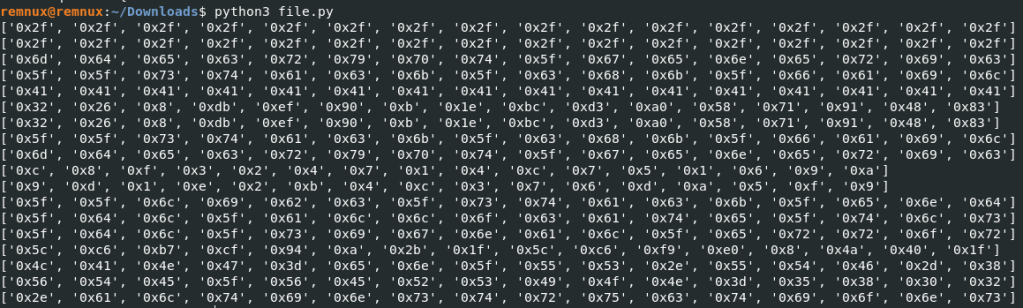
Luckily for us, the number of 16 character strings of characters is very low, especially if you remove duplicates. Next, we use wxHexEditor to make a file with the hex as the contents. It took a few tries for me to get the correct one, but we will just skip straight to it for this walkthrough.


Next, we need to go back to the source code and replace the key variable with the actual key instead of the getenv.
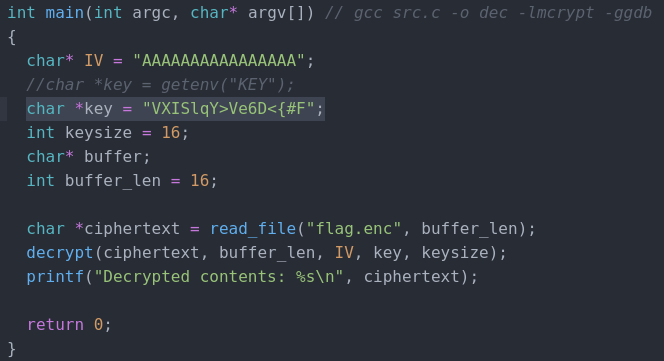
Now, we recompile the binary using the command gcc src.c -o dec -lmcrypt -ggdb and we should get our key!
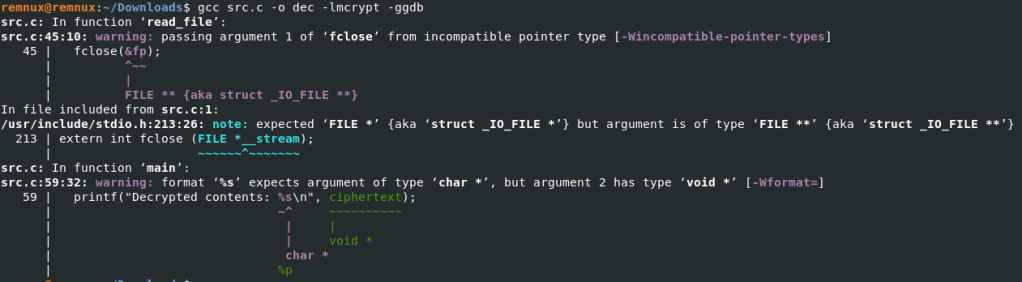
Well, that is probably why we have a core dump file to work with. Let’s fix those errors.
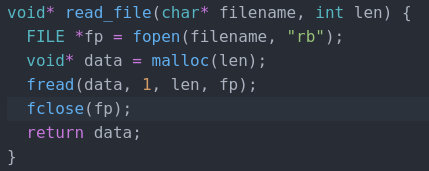
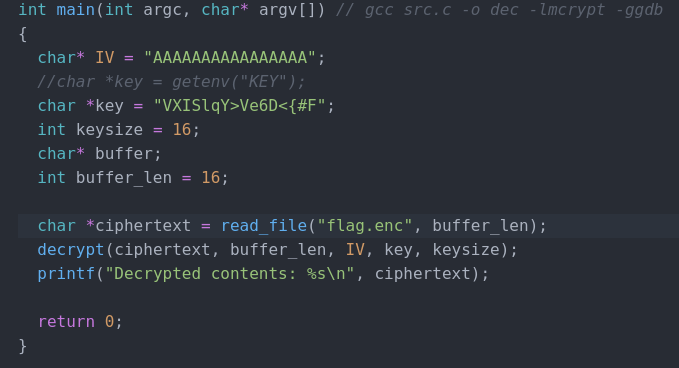
I took out the & from fclose(fp) and changed the type of ciphertext from a void to a char. Now let’s try and compile it again.

Looks like success! Now let’s try and run it.

And there is the flag! This challenge was extremely frustrating and after looking at other write ups after completing it, it seems I am not the only one who had to complete it in a brute force type way. The concept behind this challenge is super cool though and I am thinking about recreating it if anyone would be interested in a walkthorough of doing it the “correct” way. Thanks for reading and happy reversing!
 bu5hv1p3r's site
Leave a comment