Ouija is a very easy reversing challenge on Hack The Box. The description is “You’ve made contact with a spirit from beyond the grave! Unfortunately, they speak in an ancient tongue of flags, so you can’t understand a word. You’ve enlisted a medium who can translate it, but they like to take their time…”
First we run the file command on the binary and see what we got.

Another lovely ELF, let’s open it in Binary Ninja and check it out.
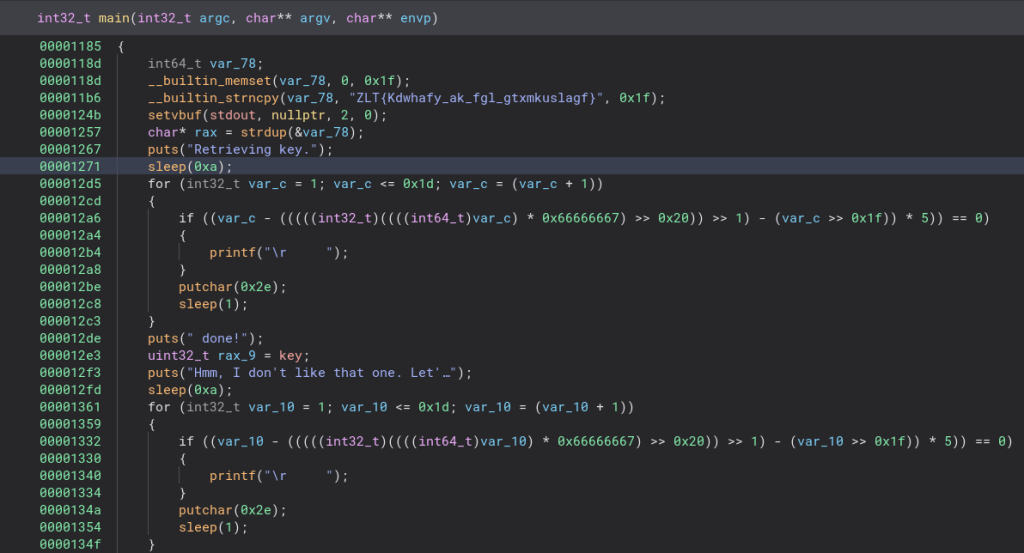
Looking at the main function and I am not liking what I am seeing. The first thing that pops out to me is the strncpy which seems to hold the flag, but encoded. We will check that out later. Let’s go ahead and run it and see what it does.

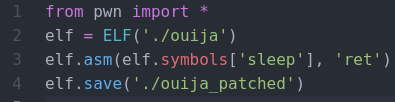
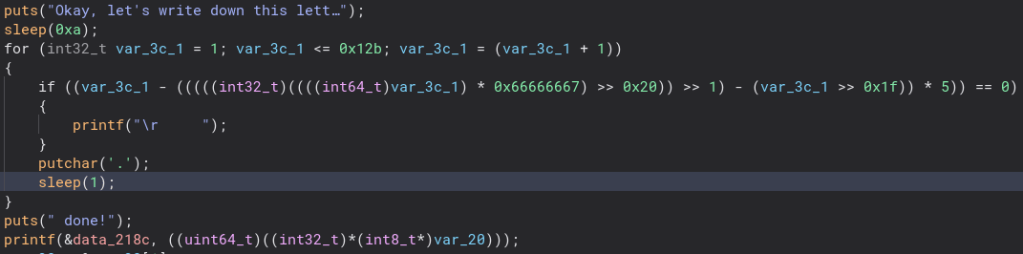
Running the program prints out a message and then sleeps. Looking at the code we can see it sleeps a lot. Maybe we can patch these out and make things a bit quicker. Using pwntools we can make a quick little script to patch out all of those sleeps. Let’s run the program again.
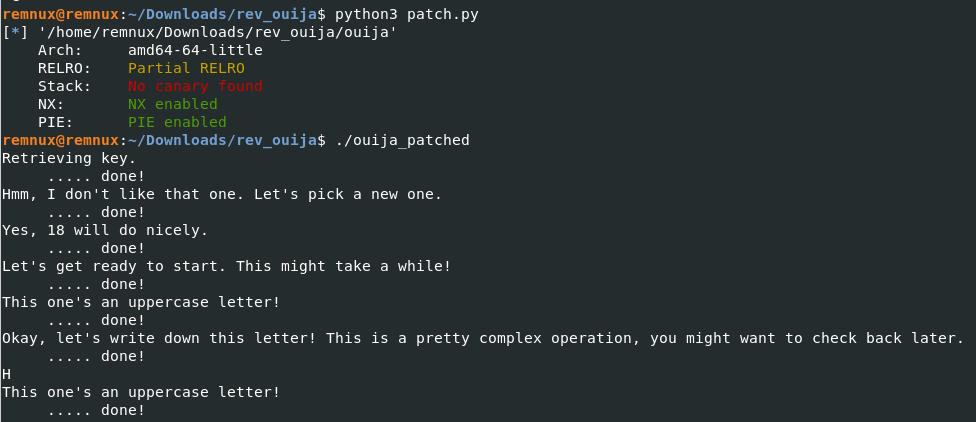
Now that is a lot faster. As you can see it prints out a ton of info, and then the first letter of the flag. It does this for all of the letters of the flag so we could go through right now and get it, but I want to make it a little easier.
Looking through the code, it uses “puts”, “putchar”, and “printf” to print the info in the terminal, but only “printf” is used to actually print the flag character so we can patch out the other two.
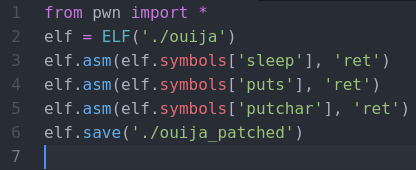

And there is the flag! This gives us a much easier version of the flag to work with and some backspaces in a text editor is all we need to get it in the right form.

If you want to get even crazier, we can patch the program to give us the flag without all the new lines and spaces. There is one other thing that “printf” prints out so we need to get rid of that.
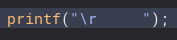


To get rid of that we add this code to the “patch.py” script and simply patch all of the bytes in the data section of “data_2018” to all 0s.
Here is the result.
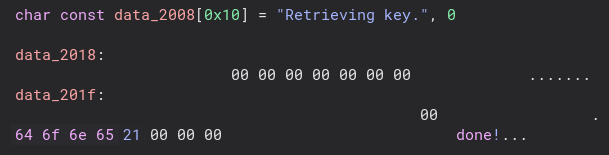
Now we need to do the same thing and patch out the new lines in “data_218c”.

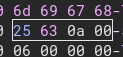
To do that we add this to our script.
And here is the result. Now we just have to put it all together and add some code to open the file in binary mode and run it! We also add our own newline code so the terminal starts on a new line after running it.
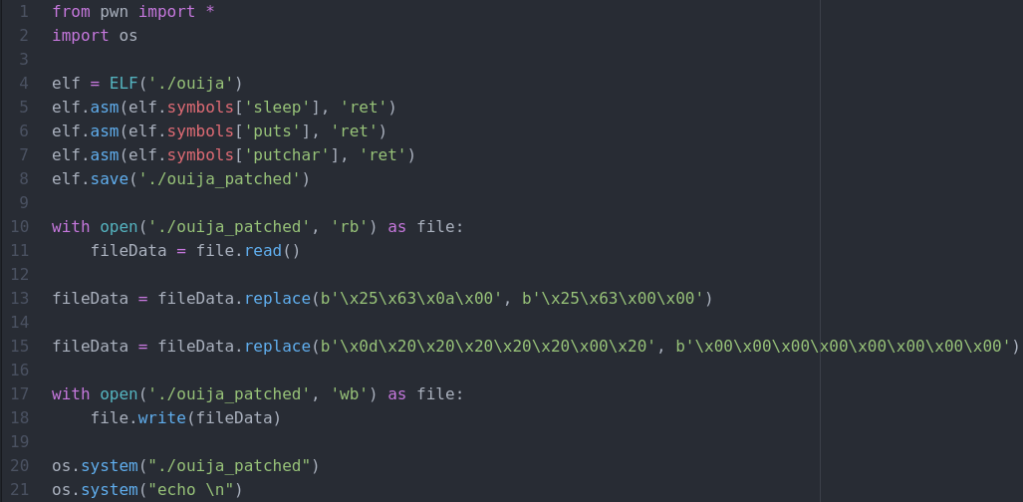
Now we have fully automated getting the flag!
Like I hinted to earlier, there is a much easier way to solve this challenge without needing to be able to read code at all. The way I originally solved this challenge was I saw the string in strncpy “ZLT{Kdwhafy_ak_fgl_gtxmkuslagf}” and thought it looked like a ROT encoded string. I threw it in a ROT bruteforcer and got back the flag.
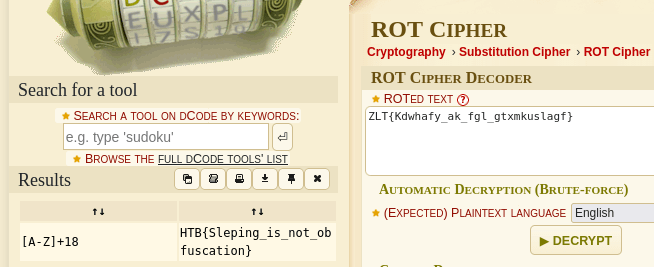
Sometimes the challenges can be much simpler than they appear! Thanks for reading and happy reversing! Special thanks to Katie for helping to make all of these possible!
 bu5hv1p3r's site
Leave a comment